
Who's Hosting This Website?
Instantly discover the hosting provider, server location, IP address, and tech stack behind any domain. Research competitors, find fast hosts, and make informed decisions.

Enter any domain to start
Detect hosting provider, server location, ASN, CDN,
and nameservers - instantly and privately.
Types of Web Hosting
Understanding which type of hosting your site needs helps you choose the right provider.

Shared Hosting
Affordable plans for blogs and small sites sharing one server.

Cloud / VPS
Dedicated resources on virtual private servers for full control.

Managed WordPress
Optimised WordPress hosting with caching, backups, and security.

Serverless / Edge
Deploy static and JAMstack sites globally with zero config.
Recommended Hosting Providers
Compare and switch to a faster hosting provider today.
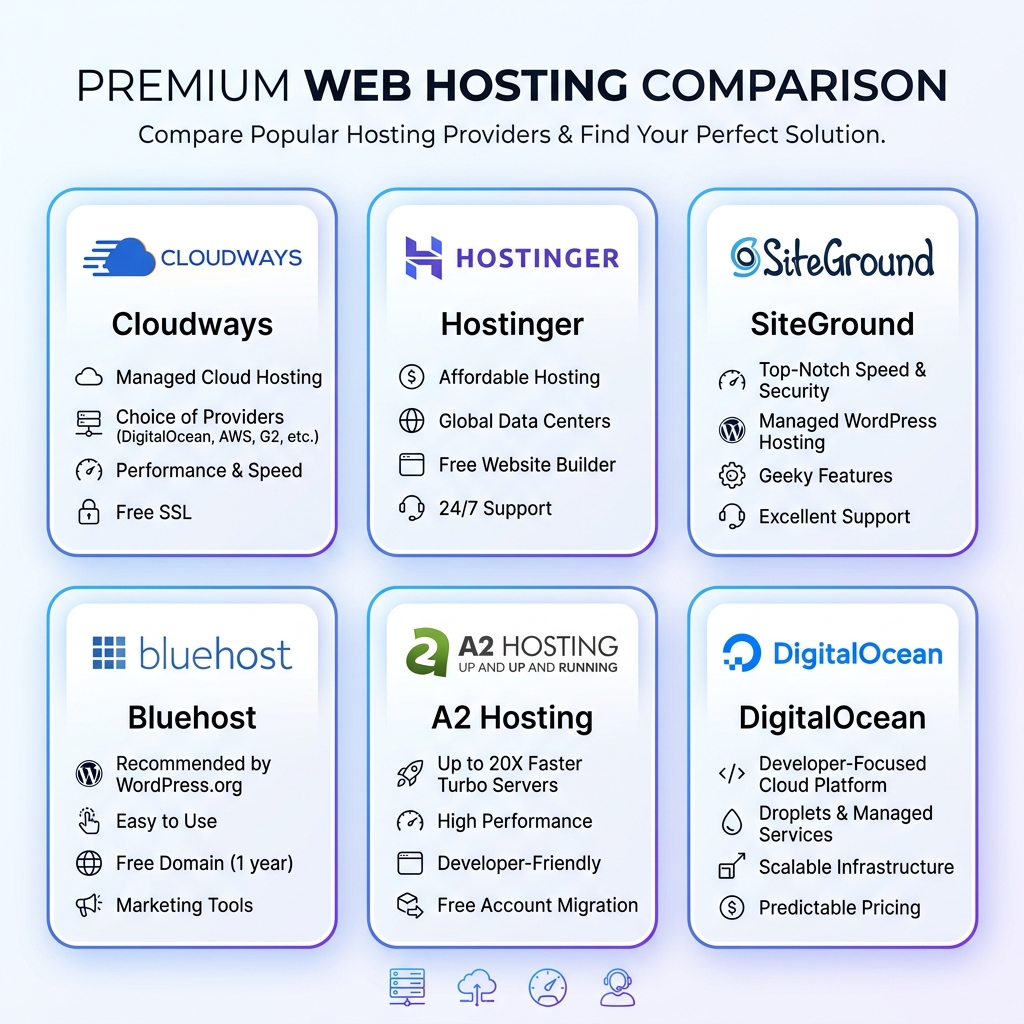
Hostinger
Shared Hosting
Best value shared hosting worldwide
Blazing fast shared hosting powered by LiteSpeed. Plans start from $2.99/mo with free domain, SSL, and email.
SiteGround
Shared Hosting
Trusted by 3M+ websites globally
Premium shared and cloud hosting with industry-leading support, daily backups, and a free CDN.
Bluehost
Shared Hosting
Official WordPress recommended host
One-click WordPress install, free domain for first year, and 24/7 expert support.
Cloudways
Managed Cloud
Managed cloud hosting made simple
Choose from AWS, Google Cloud, DigitalOcean, Linode, or Vultr - fully managed with auto-scaling.
DigitalOcean
Cloud / VPS
Simple, predictable cloud for developers
Droplets from $4/mo, managed Kubernetes, App Platform, and databases with great documentation.
A2 Hosting
Shared Hosting
Up to 20X faster Turbo servers
High performance hosting with free site migrations, developer tools, and anytime money-back guarantee.
WP Engine
Managed WordPress
The platform for WordPress excellence
Managed WordPress with Genesis themes, EverCache technology, and automated security patching.
Kinsta
Managed WordPress
Enterprise-grade WordPress on Google Cloud
Powered by Google Cloud C2 machines with premium tier networking. Includes staging, free migrations, and edge caching.
Vercel
Serverless
The frontend cloud for modern web
Zero-config deployments for Next.js, Nuxt, and static sites. Free tier available with global CDN.
Hetzner
Cloud / VPS
Best price-to-performance in Europe
German-engineered cloud servers at unbeatable prices. VPS from €3.29/mo with 20TB traffic included.
* Some links are affiliate links. We may earn a commission at no extra cost to you.
Frequently Asked Questions
Related Tools
How to Find Out Who Hosts a Website
Enter any domain name and our tool resolves its DNS, performs a reverse IP lookup, matches the IP against known hosting provider ranges (ASN databases), checks nameservers, and analyses HTTP response headers - all in seconds. The result tells you the hosting company, server location, CDN usage, and detected technologies. This is the fastest way to answer "who hosts this website?" without installing any software.
Choosing the Right Web Hosting Provider
The right hosting provider depends on your needs: shared hosting (Hostinger, Bluehost) for blogs and small sites, managed cloud (Cloudways, SiteGround) for growing businesses, and VPS/cloud (DigitalOcean, AWS) for developers and high-traffic applications. Use our tool to see what successful sites in your niche use - then make an informed decision. Check DNS records with our DNS Lookup and verify IPs with the IP Address Lookup. Explore all tools on the homepage.